The SNMP connector in ThingsBoard IoT Gateway is primarily used to collect data from SNMP devices and upload it to the ThingsBoard platform.
Case Details
The SNMP connector in ThingsBoard IoT Gateway is primarily used to collect data from SNMP devices and upload it to the ThingsBoard platform. Note: The SNMP connector does not natively support direct protocol conversion from SNMP v3 to MQTT. However, this functionality can be achieved indirectly through the "SNMP data collection + internal forwarding" mechanism within the ThingsBoard ecosystem.
To enable the security features of SNMP v3 (authentication and encryption), the corresponding authentication and privacy parameters must be correctly configured.
This test was performed on the company's BL410 hardware platform (ARM architecture), which offers stable performance and strong compatibility. Test results confirm that the BL410 fully supports SNMP v3.0 → MQTT forwarding. All ARMxy series hardware from the company (including BL330, BL340, etc.) are capable of the same adaptation, providing flexible hardware selection options for relevant projects.
Prerequisites
- Base environment: Python 3.8 or higher installed, and ThingsBoard Gateway successfully deployed on the BL410 hardware platform
- Test device: Local SNMP v3 agent simulated using snmpd on the BL410 (used in place of a real SNMP device)
- MQTT client: MQTTX or mosquitto_sub installed (for verifying MQTT data forwarding)
- SNMP test tool: Used to verify network reachability of SNMP v3 devices
- ThingsBoard service: The receiving end for MQTT messages — must be running normally
Core Operation Steps (Verifying SNMP v3.0 → MQTT Forwarding)
Step 1: Set up SNMP v3 simulation agent (snmpd)
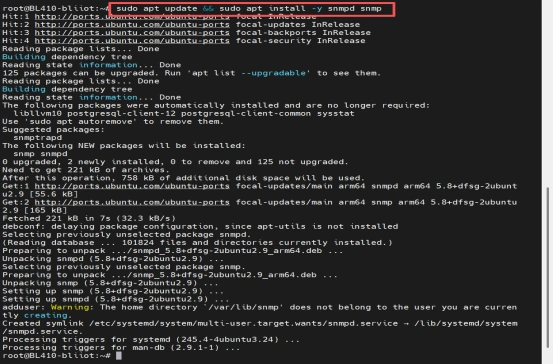
- Install snmpd and dependencies
sudo apt update && sudo apt install -y snmpd snmp
- Create SNMP v3 user (critical step: create user with authentication + encryption)
sudo net-snmp-config --create-snmpv3-user -a SHA -A "AuthPass123!" -x AES -X "PrivPass123!" snmpv3user
- Modify snmpd configuration file Edit sudo nano /etc/snmp/snmpd.conf (comment out default configurations and add the necessary v3 settings — specific content not fully shown in original but must enable v3 support)

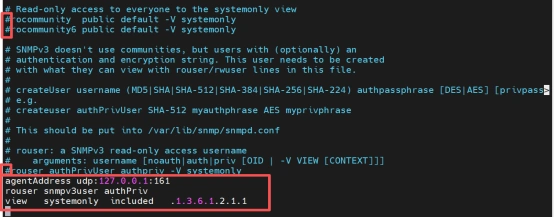
- Restart snmpd and enable auto-start on boot
sudo systemctl restart snmpd
sudo systemctl enable snmpd
- Verify SNMP v3 access
snmpget -v3 -l authPriv -u snmpv3user -a SHA -A "AuthPass123!" -x AES -X "PrivPass123!" 127.0.0.1 1.3.6.1.2.1.1.1.0
Success = returns the system description string
Step 2: Install MQTT client (for verification)
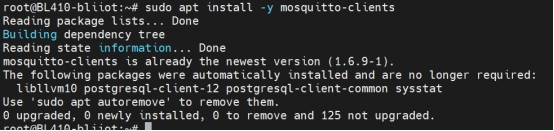
sudo apt install -y mosquitto-clients
Step 3: Configure ThingsBoard Gateway (SNMP v3 → MQTT forwarding)
- Modify main gateway configuration (tb_gateway.yaml or tb_gateway.json) Ensure the SNMP connector is enabled.
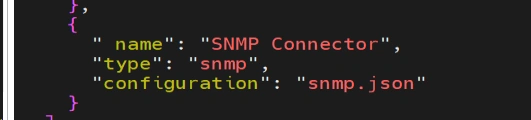
- Configure SNMP connector file (config/snmp.json)
JSON
{
  "timeout": 5,
  "retries": 3,
  "devices": [
    {
      "deviceName": "SNMPv3_Router",
      "deviceType": "snmp",
      "ip": "192.168.1.XXX",           // Target SNMP device IP
      "port": 161,
      "pollPeriod": 5000,
      "version": "3",
      "community": "public",           // Placeholder — not used in v3
      "security": {
        "username": "snmp_user_XXX",
        "securityLevel": "authPriv",
        "authProtocol": "SHA",
        "authKey": "Auth_Key_XXX@123",
        "privProtocol": "AES",
        "privKey": "Priv_Key_XXX@123"
      },
      "attributes": [
        {
          "key": "Device Model Description",
          "method": "get",
          "oid": "1.3.6.1.2.1.1.1.0",
          "timeout": 6
        }
      ],
      "telemetry": [
        {
          "key": "Device System Info",
          "method": "table",
          "oid": "1.3.6.1.2.1.1"
        }
      ]
    }
  ],
  "logLevel": "INFO",
  "name": "SNMP",
  "enableRemoteLogging": false,
  "id": "XXX-XXX-XXX-XXX-XXX",
  "configVersion": "3.8.1"
}
3. To verify the validity of the SNMP connection, execute the SNMP v3 access command again to confirm that the connection between the Gateway and the SNMP emulator is normal.
sudo apt install -y mosquitto-clients
Step 4: Basic MQTT function test (optional)
Subscribe: mosquitto_sub -h 127.0.0.1 -p 1883 -t "test/#" -v
Publish: mosquitto_pub -h 127.0.0.1 -p 1883 -t "test/hello" -m "world"
Step 5: Monitor real forwarded MQTT topic
mosquitto_sub -h 127.0.0.1 -p 1883 -t "v1/gateway/telemetry" -v
ThingsBoard Cloud Platform Connection Description
- SNMP direction: Gateway → SNMP device (port 161, SNMP v3 authPriv)
- MQTT direction: Gateway → ThingsBoard cloud (thingsboard.cloud, port 1883)
Hardware Compatibility Summary
- Tested hardware: BL410 (ARM aarch64)
- Perfect support for Python 3.8+, ThingsBoard Gateway, and snmpd deployment
- All other ARMxy series hardware (BL330, BL340, etc.)
- Same ARM architecture → consistent system compatibility
- Hardware performance meets requirements for SNMP collection, protocol conversion, and MQTT forwarding
- Supports mainstream Linux distributions (e.g., Ubuntu) → configuration fully reusable
Verification Results
- Gateway connection status in ThingsBoard: SYNC (config version 3.8.1)
- SNMP v3 authentication & encryption: Fully effective
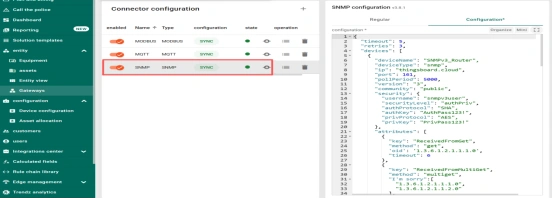
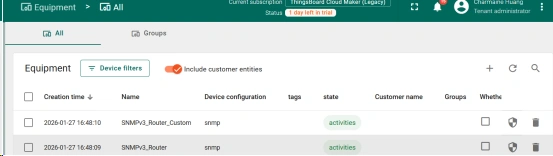
- Successfully collected:
-
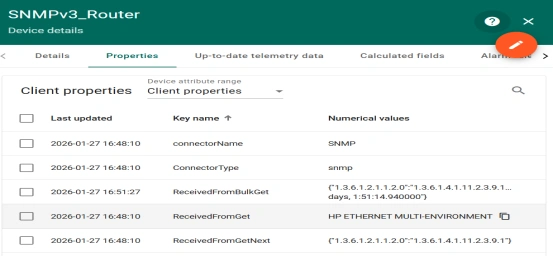
- Attribute: "Device Model Description" (OID 1.3.6.1.2.1.1.1.0) → system description string
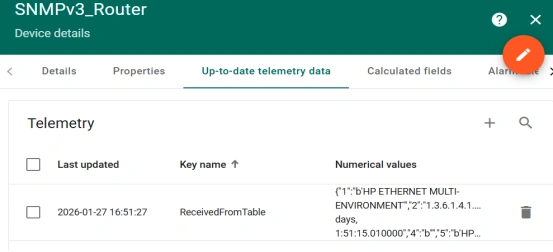
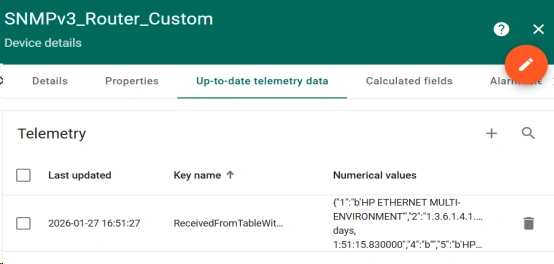
- Telemetry: "Device System Info" (table method, OID 1.3.6.1.2.1.1) → periodic updates normal
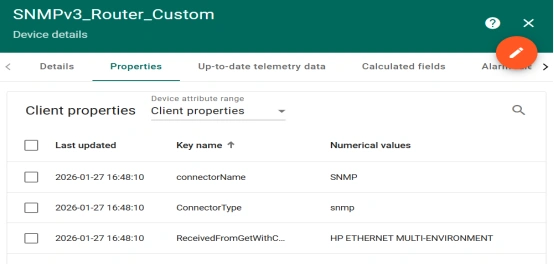
- Additional table data (e.g., network interfaces) → updates consistent with polling period